Send webhooks to your own tools
Get a signed JSON request at your server, CRM or automation tool the moment a submission arrives, changes status, or a booking is cancelled, rescheduled or expires.
Use this guide when you want what happens in a bot to show up somewhere else: a row in your CRM, a Zap, or a record in a system Meerlume has never heard of. If Slack is what you are after, you do not need any of this — the Connect Slack guide covers it in four clicks. Webhooks are on the Growth plan and above.
Open WebhooksWhat a webhook is, in Meerlume terms
A webhook is a URL you own. When something you have subscribed to happens, Meerlume sends an HTTP POST to it with a JSON body describing the event, signed so your side can prove it came from Meerlume. Nothing waits on it: the customer's conversation carries on whether or not your server answers.
- New submission — a customer finished a flow: a booking, a lead, an order.
- Status changed — you or the customer moved a submission to another status, including Accept and Decline.
- Booking cancelled by customer and Booking rescheduled by customer — the customer changed their own appointment from the chat.
- Booking request expired — a request waited past your approval window.
- Flow step reached — a customer arrived at a step you flagged in the builder, part-way through the conversation. See below.
One endpoint for everything
An endpoint belongs to your account, not to one bot. By default it receives events from every bot you have, including ones you create later, and each event names the bot it came from. You can narrow an endpoint to specific bots when you add it.
Add an endpoint
Open Integrations → Webhooks
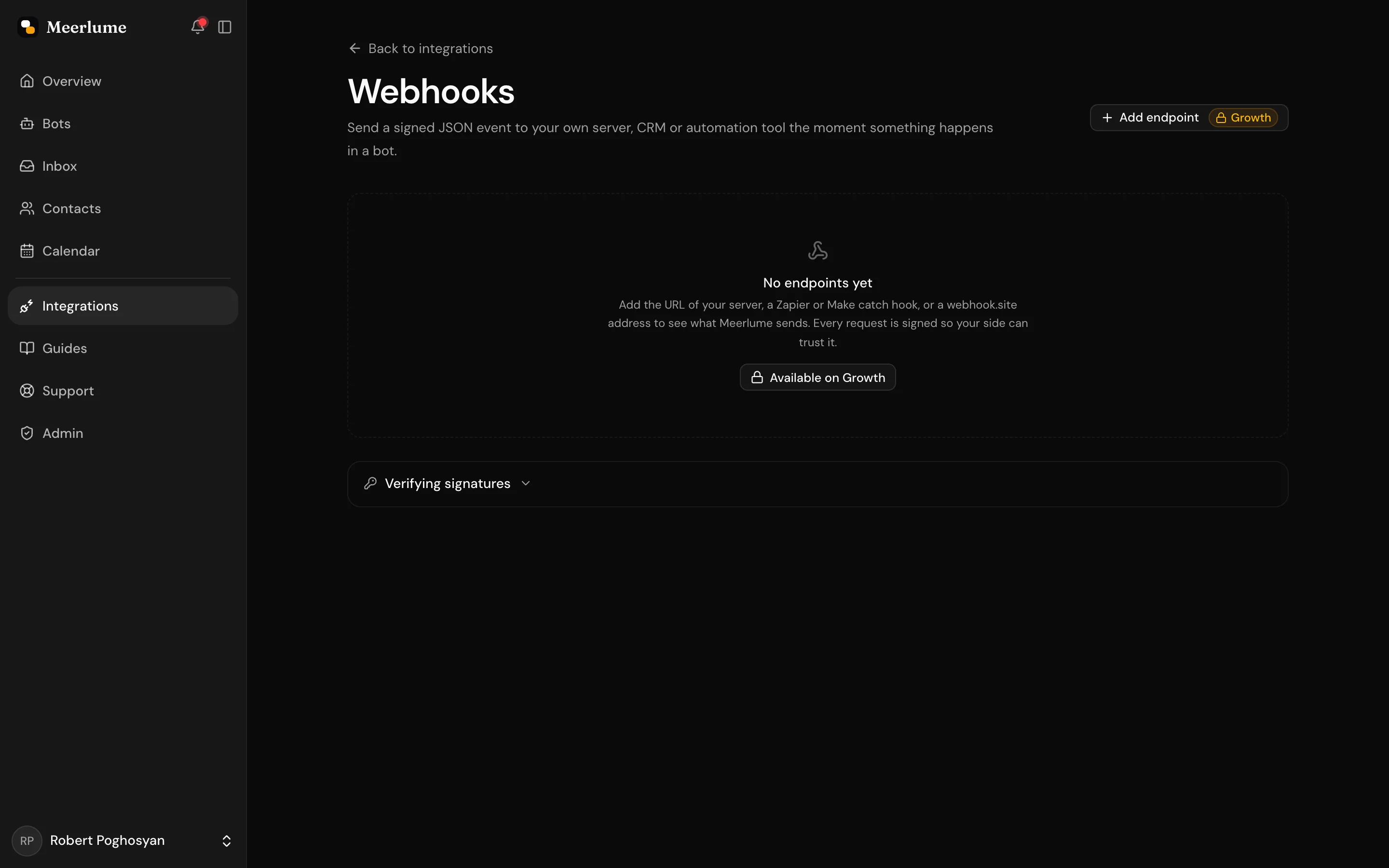
From the dashboard sidebar, open Integrations and choose Webhooks, then press Add endpoint.
Paste the URL
It must start with https:// and be reachable from the public internet. To test against a machine on your desk, use a tunnel such as ngrok and paste the tunnel's address.
Pick the events and the bots
Tick the events you want. Leave All bots on unless the endpoint is only for one bot's flow.
Save the signing secret
Meerlume shows the secret once. Store it where your endpoint can read it, for example as an environment variable. If it is lost, open the endpoint and rotate it.
Try it before you write any code
Paste a URL from webhook.site as the endpoint, press Send test event, and the request appears on that page with its headers and body. It is the fastest way to see exactly what your server will receive.
What arrives at your endpoint
Every request is a POST with a JSON body. Three headers identify and sign it.
webhook-id— the event's id followed by the endpoint's id, asevent:endpoint. A retry of the same event carries the same id, so use it to ignore duplicates. Two endpoints receiving one event see different ids, so a server behind both is not fooled into dropping the second; the bare event id is the body'sid.webhook-timestamp— when the request was signed, in seconds since the epoch.webhook-signature— the signature, in the Standard Webhooks format (see below).x-meerlume-event— the event type, so you can route before parsing the body.
{
  "id": "98437696-51de-4dc4-b850-bbbf55612f5a",
  "type": "submission.created",
  "createdAt": "2026-09-04T16:59:11.384Z",
  "apiVersion": "2026-09-01",
  "bot": { "id": "7a2ad447-…", "name": "PureGlow Consultation Booking Bot" },
  "data": {
    "submission": {
      "id": "d069d834-…",
      "title": "Injectables Consult ($75) for Anna",
      "status": { "id": "pending", "label": "Pending", "kind": "pending" },
      "channel": "webchat",
      "createdAt": "2026-09-04T16:58:53.090Z"
    },
    "contact": { "id": "7a327bf7-…", "name": "Anna", "phone": "+37477123456" },
    "answers": {
      "ask-service": "Injectables Consult ($75)",
      "ask-slot": "Sep 5, 2026 at 11:00 AM",
      "ask-name": "Anna"
    },
    "fields": [
      {
        "key": "ask-service",
        "label": "Which consultation would you like to book?",
        "value": "Injectables Consult ($75)"
      },
      {
        "key": "ask-slot",
        "label": "Please pick a time slot:",
        "value": "Sep 5, 2026 at 11:00 AM"
      },
      { "key": "ask-name", "label": "What is your full name?", "value": "Anna" }
    ],
    "booking": {
      "id": "dc24cf88-…",
      "status": "pending",
      "startAt": "2026-09-05T07:00:00.000Z",
      "endAt": "2026-09-05T07:45:00.000Z",
      "timezone": "Asia/Yerevan",
      "service": { "id": "d35cc64f-…", "name": "Injectables Consult ($75)" },
      "resource": { "id": "b21aba61-…", "name": "Joe" }
    }
  }
}- answers is keyed by the flow's question ids, with values written the way a person reads them: a service by its name, a time on your business clock. A Call your server step adds its own id, and each field it keeps as
step-id.name. This is what Zapier and Make map from. - fields carries the same values with the question the customer saw as the label, in the order they were asked, for anything that renders rather than maps.
- booking is the appointment as it is now, with instants in ISO 8601 and your calendar's time zone. After a reschedule, the answers still hold what the customer typed during the flow while the booking block holds the new time.
- submission.status and booking are read when the request is built, not when the event happened. That is usually the same moment, but after a quick second change they can be one step ahead of the event you are holding. The event itself is in change (the status before and after) and notice (what the customer did), so lean on those for what happened and on the blocks for where things stand.
- apiVersion changes only when a field is renamed or retyped. New fields appear without a version bump, so read what you need and ignore the rest.
Verify the signature
Meerlume signs every request with your endpoint's secret in the Standard Webhooks format, the same scheme used by OpenAI, Twilio and Svix. Any Standard Webhooks library verifies it without custom code. Verify before you trust the body, and reject a timestamp more than a few minutes old to stop replays.
import { Webhook } from "standardwebhooks";

const wh = new Webhook(process.env.MEERLUME_WEBHOOK_SECRET);

app.post("/hooks/meerlume", (req, res) => {
  let event;
  try {
    event = wh.verify(req.rawBody, req.headers); // throws if forged or stale
  } catch {
    return res.sendStatus(401);
  }
  if (event.type === "submission.created") {
    // event.bot.name, event.data.contact, event.data.answers …
  }
  res.sendStatus(200);
});
Answer quickly, then do the work
Meerlume waits 10 seconds for a 2xx. Acknowledge first and process afterwards; a slow handler counts as a failure and is retried, which means you would receive the same event again.
Send a webhook part-way through a flow
Every event above fires when something is finished. A checkpoint fires while the customer is still talking.
Some things should not wait for the end: a lead you want in the CRM the moment a name and phone are in, a step where your own system should start preparing a quote. Click the + between two steps and choose Webhook step, or ask the builder for one ("add a webhook step after the phone question"), and give it a name. From then on, whenever a customer passes that step, Meerlume sends a flow.checkpoint event with everything answered so far. It goes to every endpoint subscribed to Flow step reached; open Sends to on the step to narrow that to specific endpoints. An endpoint that has not subscribed never receives checkpoints, and a step that points at one cannot be published until it subscribes. The customer sees nothing; the flow continues at once.
{
  "id": "0b7d3a6e-…",
  "type": "flow.checkpoint",
  "createdAt": "2026-09-05T09:12:41.005Z",
  "apiVersion": "2026-09-01",
  "bot": { "id": "7a2ad447-…", "name": "PureGlow Consultation Booking Bot" },
  "data": {
    "node": { "id": "cp-lead", "label": "lead captured" },
    "conversation": { "id": "d069d834-…", "channel": "telegram", "contactRef": "tg:53716…" },
    "contact": { "id": "7a327bf7-…", "name": "Anna", "phone": null },
    "answers": {
      "ask-service": "Injectables Consult ($75)",
      "ask-name": "Anna"
    },
    "fields": [
      { "key": "ask-service", "label": "Which consultation would you like to book?", "value": "Injectables Consult ($75)" },
      { "key": "ask-name", "label": "What is your full name?", "value": "Anna" }
    ]
  }
}- Nothing is read back. The customer's conversation carries on immediately, whatever your server answers or how long it takes.
- A step passed twice sends twice, once per visit. A re-asked question before it (a typo, an invalid phone number) does not send again.
- The builder's preview never sends checkpoints. Test on a live channel, or with the test event on the endpoint's page.
- The step is saved with the flow on every plan; publishing a flow that carries one needs Growth or above.
Call your server and use the reply
A checkpoint tells your system something. A call asks it something, and the flow waits for the answer.
"Check my order status", "is this voucher code valid", "look up my account": the answer lives on your server, and the customer wants it now. Click the + between two steps and choose Call your server (or switch an existing webhook step to Call & wait). Give it a URL, a method, any headers your API needs, and a body; {{step-id}} placeholders in any of them fill in from the answers so far, URL-encoded in the address and JSON-escaped in a JSON body. In Keep from the reply, add a row per value you want from the JSON your server returns: a name and a field path, such as status from data.status or tier from data.tier. Meerlume calls the URL, waits up to thirty seconds, and continues: on a 2xx reply with every named field present it goes to the success step, and a later message can show the values as {{the-step-id.status}} and {{the-step-id.tier}}; on anything else, a timeout, or a missing field, it goes to the failure step, so write one that tells the customer the check did not work.
{
  "method": "GET",
  "url": "https://api.example.com/orders/A4271",
  "headers": {
    "user-agent": "Meerlume-Webhooks/1.0",
    "webhook-id": "3f9c1c2e-…",
    "webhook-timestamp": "1788600761",
    "webhook-signature": "v1,K5oXn…",
    "x-meerlume-event": "flow.request"
  }
}- Test the request from the step's card before a customer does: it runs once with sample answers and shows the reply and the kept field. Every call, live or test, appears under Integrations → Webhooks in the calls log for the same window as deliveries.
- One attempt, no retries: the customer is waiting. A retried message from the channel replays the first call's outcome instead of calling again, so a POST that creates something runs once per customer turn.
- The builder's preview never calls your URL; it takes the success branch with a stand-in value. The same URL rules as endpoints apply: https, a public host, and no placeholder in the host.
- Publishing a flow with a call step needs Growth or above. If a published bot's plan later drops below that, the step takes its failure branch and you get one notification a day about it.
Retries, the log, and switched-off endpoints
- A delivery that gets no 2xx is retried with growing gaps, from 30 seconds up to a day, for about two days in total. Each retry carries the same
webhook-id. - The endpoint's page shows every delivery of the last 7 days (30 on Pro) with the status code, the response your server sent back, and the exact body. Any settled delivery can be sent again with Redeliver.
- An endpoint that has done nothing but fail for three days is switched off, and you are told in the dashboard bell and on whichever notification channels you have enabled. Fix the URL, send a test event, and switch it back on.
- Redirects are not followed, and a URL that points at a private address is refused when you save it.
Plans and limits
Webhooks are included on Growth with 5 endpoints and on Pro with 20. Delivery continues if you go over your monthly conversation cap; only adding or testing endpoints waits until the cap lifts. If you move to a plan without webhooks, your endpoints and secrets are kept and delivery pauses. It resumes on its own when you upgrade again.
Related guides
Continue with the next part of the setup once this step is stable.
Connect Slack
Put a card in a Slack channel every time a customer finishes a conversation — the answers, the contact, the booking, and a button into your inbox.
Set up owner notifications
Get notified the moment a submission arrives — in the dashboard bell and on Telegram with one-tap Accept and Deny — and tune how urgently each bot pings you.
Triage submissions in the inbox
Read what customers sent, change status, reply or take over the chat, approve or reschedule bookings, and archive — keep follow-up moving without getting buried.
Manage contacts
See everyone who has reached your bots, search across them, and open a contact for their full history of submissions and bookings.